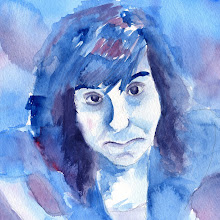
Recent Posts

Showing posts with label Visual Communications II Comps. Show all posts

Friday, December 11, 2009

AUDIO BOOK {1984} TAKE TWO


Here is my second rev of the audio book. I mainly worked on resolving the outer package design. I also made a template for CD's. I plan on including three CD's in my package. It took quite a little bit of time to figure out and create the template I'm using to hold my CD's. I'm going to have individual sleeves that have a cover flap and a little pocket on the inside. Each one will also have to have a little cut out of the corner to mock the cut out of the package and also in order to fit snug.

I'm really excited about this project and like how it is going so far.

Monday, December 7, 2009

JOE SIX PACK - three

So I thought I came up with this brilliant way to render my six-pack. I really wanted to print my box on luster paper so it would look shiny. I only have paper that is 13x19. I was going to piece together my box. Unfortunately I was informed today that it is a requirement to print the box all on one sheet of paper (22x28) so I can actually fold the box together myself! I'm pretty disapointed just because I spent a lot of time measuring my box and creating templates for the piece together effect. Now for the final package, I need to go back and create a template for the entire box. .....AND I'm really worried about how it will turn out since I have to have someone else print it due to the large size! Hopefully it all works out!

Thursday, December 3, 2009

AUDIO BOOK {1984}


FRONT/BACK OF PACKAGE


COVER


We were given the task of designing and audio book package. We had to choose from a list of classics like Pride & Prejudice, The Great Gatsby, 1984, Jane Eyre, ect. I decided that I wanted to do 1984. For this design I am going to be using computer parts and computer screen to portray the technological aspect of the book. I also want to include the idea of the "Big Brother". I hope to do this through using some type of less or like you are looking through a lens. I spent around 2 1/2 hours creating the box template and mocking it up, shooting photography, doing the marker comp, and manipulating the book cover.

Wednesday, December 2, 2009

JOE SIX PACK - two

BEER CARRIER DESIGN


BOTTLE LABEL DESIGN
Here is my second comp of my six pack. I worked on all the computer work from the carrier and the label. I decided to go with The Classy Bitch which is a cherry wheat beer. I wanted to go with colors that were really young, fun and super eye-catching. On the carrier or included a backstory of this particular beer and also the history of the company BadBad JuJu Brewery. When designing packaging I think it is fun because of all the little elements you get to include and thing about.


**For fun I also included a list of other favorite beers that my company brews!!!**
Here is a few more that I didn't list previously:
• The Skinny Bitch - Vanilla Wheat: "Does adding Vodka to a protein shake defeat the purpose?"
• The Big Boy - Apple Cider: "We just described beer as 'big boy apple juice' to our two-year old."

Thursday, November 19, 2009

RED BARN - 3rd try...


BROCHURE


AD

WEB BANNER

POSTER


So we decided to do one more rev. before the final versions. Not much changed on a couple of the pieces from the last versions. Minor details. The biggest change is seen in the pamphlet. I added pictures and rearranged some of the text. I also changed the cover design to a more legible texture instead of an image. I'm really pretty happy with how all of these have turned out so far. Just a few more minor changes and they should all be complete!!!

Tuesday, November 17, 2009

JOE SIX PACK - one


We get to design a six pack of whatever beverage we chose. We could do soda, beer, or anything else that comes in six. I decided to do a contemporary flavored beer. I was thinking something like cherry, raspberry or honey beer. We also have to use our name or nickname somewhere in the beverage name or company name.

My company name developed from my nickname JuJu. JuJu means "the magical power attributed to such an object". Then I ran across the definition of Bad JuJu. Bad JuJu means "an action that is likely to be harmful in a karmic way, that is, a harmful action that may bring about the same action on oneself. After that I finally came up with the name BAD BAD JUJU BREWERY. It almost produces a double negative.

I wanted this beer to be something fun that everyone in their 20s and 30s could relate to. For inspiration I ventured to www.textsfromlastnight.com.

Here are some ideas I had for beer names/stories:
1. Grandpa's Urn: You broke her grandpas urn and ran your hand through his ashes claiming it was pixie dust. (probably not appropriate...but funny!)
2. Daddy Issues: Then he told me he was 40. I'm not sure if I have enough daddy issues to go for it.
3. Classy Bitch: I'm buying a chandelier at Walmart. WHO'S CLASSY NOW BITCHES!
4. The 2nd Grader: I just mixed Bailey's and Yoohoo. I feel like an alcoholic 2nd grader.
5. The Gobbler: He was walking around the bar drinking wild turkey and gobbling simultaneously.

Monday, November 9, 2009

Red Barn - REV TWO!

POSTER

WEB BANNER


BROCHURE


AD

OK....so second rev of red barn. YEP! I feel like it's coming along but still needs WORK! My brochure needs the most work. For this set I decided to create my own red barn logo and really like how it came out. I also have tried to achieve a more modern look with next years red barn.

All I have to say is I need to keep going along with this project.

Sunday, November 8, 2009

Society of Illustrators - ONCE AGAIN...


Here is my second take on the Society of Illustrators call for entry mailer. I added more pictures and just worked on the layout of the text a lot more. I also added the second light bulb to add more flow throughout the piece. This still has quite a ways to go but i'm not sure what do else to do.

Putting together a full size comp of this was quite a challenge also. The final size is 15"x21". Tiling the image, the cutting out the pieces, and fitting them together was TOUGH!!!!

Wednesday, November 4, 2009

Red Barn - REV ONE!

AD


PAMPHLET

POSTER

WEB BANNER
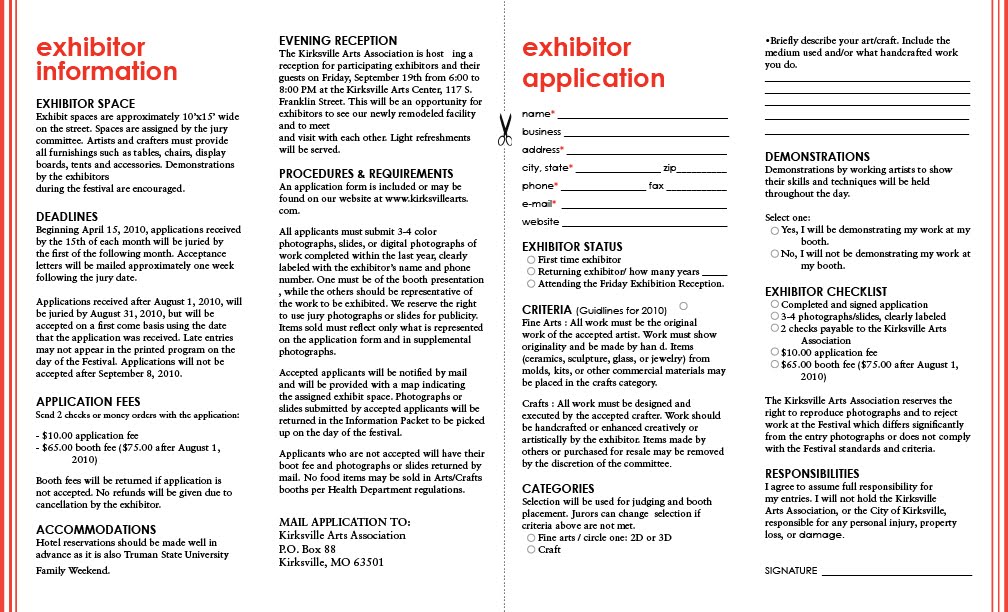
Ok. We were assigned to create a packet for next years Red Barn Arts & Crafts Festival. This consists of a pamphlet, poster, half-page newspaper ad, and a web banner for the TSU website. This is a lot of stuff! Time was pretty pressed for the first comps.

I spent about four hours altogether on the four items so far. I spent the most time trying to format and make the body copy of the pamphlet make sense. I'm trying to go for the idea of "red never goes out of style". Still haven't quite figured out how I want to render by layout but it's slowly coming along. I also need to create a Red Barn logo.

This is a good step in the direct I want. I'm not sure if all four pieces are a little "too" unified. Let me know what you think?


Friday, October 30, 2009

Society of Illustrators Mailer


We have now moved on to doing multi-panel designs. We have to design a three fold brochure that also turns into a poster. This piece advertises a call of entry for illustrators. I have already spent several hours on this piece and still have a long ways to go. There is a lot of type in this document so it is difficult to figure out how to fit pictures in.

I chose to highlight the illustrator Steve Mayse. My concept is Spark your Creativity Through Illustration. I was trying to go with the idea that a spark lights up a light bulb just like being inspired by something creates an artistic idea.

Still trying to figure out exactly how I'm formatting the inside body copy. I also need to incorporate more images.

Good start....long way to go.

Thursday, October 22, 2009

October Spread Attempt #2


Here is my second go at the October spread. This time the sun was actually out, although it was incredibly windy, I was able to shoot my own photography. I really like the photo I chose. It is actually leafs and moss floating in the lake. There was a branch reflection happening over the mass which makes this look like a tree! I thought it was a neat effect. I thought about adding more imagery but I'm afraid it will get too cluttered. Overall I feel the layout flows nicely. It might look a little drab and boring though. I need to figure out a way to spice it up!

I NEED FEEDBACK!?

Tuesday, October 13, 2009

Project #10- October Magazine Spread

Here is my first go at the Time in the Woods magazine article. I haven't went out and taken pictures yet due to the FREEZING COLD and RAINY weather. I just chose a quick stand-in internet picture. Once I take my on photography this layout is going to completely change....CHANGE! The text is all wrong for this also.

I can't figure out how to bring the hunting aspect into this article? The fall part is easy! How do you make apparent that it is squirrel, deer, turkey, and ruffed grouse season?! BEATS ME! Any ideas?

Monday, October 12, 2009

Good Photo Layouts....ANOTHER TRY!


Here are the second revisions for the three layouts using our professional photo. I'm still having trouble linking my C.O.B. from photoshop to InDesign. There is always a slight white border around my object no matter how many times I redo the clipping path. So, to solve this problem I just decided to build the whole header separately and then link the whole thing over into InDesign. I did this on the Tower Arch magazine layout. I really like how this spread is developing.

For the poster I decided to kind of just start over completely. I did a different illustration effect on the image and made it more dominant. I also like how the text and information is now neatly ran down the side of the poster. I did this in a five column grid.

Oh....Van Gorkom. Not sure how this one is going. I moved the header "Van Gorkom" down to the bottom to create a logo. Then I tried to create a title using the pull quote that I had used. Does it look more like a magazine ad now?


Tuesday, October 6, 2009

Soooo........ Designing with a "Professional Photograph"


Using the professional photograph we found we had to create a magazine ad, magazine spread, and poster. My image kind of produced a bit of a problem just because I was limited with the topics I could choose such as the environment, camping, and nature. It isn't the most exciting topic for some.

I feel like out of the three my most successful design so far is the magazine ad. The ad is for custom made hiking boots that cost a ridiculous amount of $1500! That's crazy!

The other problem I have with these three designs is that I feel like I'm limited with colors. I don't like how they all pretty much have the same color scheme because I have to match the photograph. I guess I need to remember that these are for three different clients so I don't know if the color issue really matters that much.

The biggest challenge of this assignment was finding articles and subjects to create designs that were relevant to the imagery.

Not bad for first drafts!

HELP? COMMENTS ON ANY OF THESE?

Friday, October 2, 2009

Something Fishy! -Part Two


Here is my second comp of the Rapala fishing lure magazine ad. I never new an advertisement could have so MUCH text! This layout is more simplified and has better structure. I also added the Rapala logo. My only concern is the quality of the fishing lure images. They are good quality but i want them to be at the large scale that I have them at. I'm pretty sure once I scale the print job to the original layout size the resolution will not be that super.

Looks like I have a lot of tweaking to do. It was an improvement from comp 1.

Tuesday, September 29, 2009

Project #8 - Something Fishy!


This project is creating a two page magazine spread that functions as advertising rapala fishing lures. The article is called How guys on bait shop walls become guys on bait shop walls. The body copy of this was kind of challenging and confusing. The article is made up of several stories or scenarios. I tried to separate them by small lines and making each story it's own. I really like how I incorporated the fishing lures into the title. I wasn't sure how to use them and this is the best way I could figure out.

The illustration on the right is just an idea of how the illustration will fit into the layout. I like the idea of the fisherman almost "leaning" into the page. I'm not sure how I am going to do the illustration yet. I kind of want to attempt a watercolor illustration but I have never worked with watercolor. I'm definitely intimidated by it! I spent about three hours working on this layout.

Monday, September 28, 2009

Project #7 TAKE TWO...


I went back in and reworked both magazine layouts. I'm pretty happy with how my "How Safe" article is coming. I concentrated on opening the layout up and de-cluttering it. I also unified the layout more by having the tomatoes hang off the top of the page. I just have a few copy issues to deal with.

"The Secret of Feeling Full", still proposes a problem. I worked on stepping out of my box and attempted to create a cartoon. I usually just deal with photography. I spent a few hours trying to mess with this design and had a lot of difficulty. For the final design I'm going to tweak the colors palette and work on tightening the body copy.

So far on each layout I have spent roughly five hours. This makes ten hours all together. I planned on spending around twelve hours for these two layouts.

Thursday, September 24, 2009

Project #7 - Two (more) Magazine Layouts


This time around we had one layout that had very little body copy and the other had a ridiculous amount. This was definitely a challenge.

The first was and article titled Food: How Safe?. I had a lot easier time constructing an idea for this basically because there was such little text. We also had picture requirements that we had to fill.

The second is an article titled, The Secret of Feeling Full. My idea for this is still really undeveloped. I spent a lot of time adjusting the body copy. I'm planning on taking a photo or doing an illustration of a scale that will be "weighing" the word "FULL." I have a couple other ideas of how to incorporate those two ideas also that I might try. I also might end up trying a different grid system. Maybe two columns would work better on the first or second page? I'm kind of having a really tough time on this one!!!

Thursday, September 17, 2009

Mature Living Magazine - Take Two

This is the second comp of my design for the Mature Living two-page spread. I changed my image by doing a rough illustration of a "stressed out" person. I wanted to be really loose with my drawing stroke to evoke stress and chaos. I also moved the pull-out quotes around a bit and broke up the second page visually by applying a tint of color. I think it definitely helps make the second page feel not just like tons of text but a little more visually interesting.

This comp didn't take me as much time as the first. Most of my time on the first comp was spent adjusting and formatting the body copy. For the second comp I just had a few minor adjustments to make so it wasn't a big deal.

Tuesday, September 15, 2009

Project #6 - Mature Living Magazine Spread


We are taking a little break from designing posters and moving onto a two-page magazine layout. The layout is for an article about stress in Mature Living magazine. This was pretty difficult because there was so much text to deal with. I spent most the time formatting the body copy. I had to separate the text into paragraphs, apply indents, and figure out what would be a few good quotes to pull from the text. I also haven't dealt with InDesign very much so that made this even more difficult. I feel a little limited. I chose these colors because I feel like they are kind of calming and tranquil. Then the orange red provides a little stress into the mix.

I'm still playing around with image ideas. I realized after that this image will probably not be appropriate for this magazine considering the target audience is people over forty. I feel like this is a good start for the layout and the body copy is pretty much where I want it. I also want to figure out a way to make the second page a little more interesting. It's kind of a little boring right now with so much text.